Neovim: All In
Info
| Summary | I went all-in on neovim tooling, and it went very well (includes screenshots). |
|---|---|
| Shared | 2024-11-11 |
| Revised | 2024-11-11 @ 12:01 UTC |
This is an accounting of how I recently went all-in on Neovim with its Lua-based configuration ecosystem.
Here is my nvim config at time of writing. This folder just needs to live in $XDG_CONFIG_HOME (typically, ~/.config), and in my case, I symlink it from my dotfiles to there.
In this short post, I’ll share about the switch, some screenshots, and list the tools I’m using at the time of writing.
Backstory
I’ve used Neovim for years now, but I’ve always had one foot in the VIM world: a somewhat lengthy .vimrc (standard fare), plus vim-plug for managing plugins. I also used ale and coc-nvim for managing linters and LSPs.
This worked great for years, but I ran into an issue at work where ale and coc-nvim seemed to no longer play well together. After trying to fix it in my spare time and failing, I decided to completely burn things down and start fresh with The Neovim Way.
How the switch went
Most of the experience was dancing between reading official docs, reading blog posts, watching YouTube videos, reading source code, searching through GitHub issues, noting CHANGELOG differences since these kindly-written resources were created, etc. It was a complete hodgepodge approach, but it’s typically how I learn things, and it worked out over ~5 nights.
If you want a breakdown of how to structure your files and write plugin configs, send me an email, and I’ll consider writing some more about this!
The verdict
This tooling is incredible: the configs are almost completely declarative, updating tools is easy as pie, and it is all unbelievably fast.
At work, the ability to lint and typecheck a massive JS/TS project immediately, while I’m typing (and without any weird UI freezes…looking at you, VSCode), is critical. I am especially surprised by how good Telescope is; it’s file finding and live grep are fast and quite pleasant to use.
Screenshots


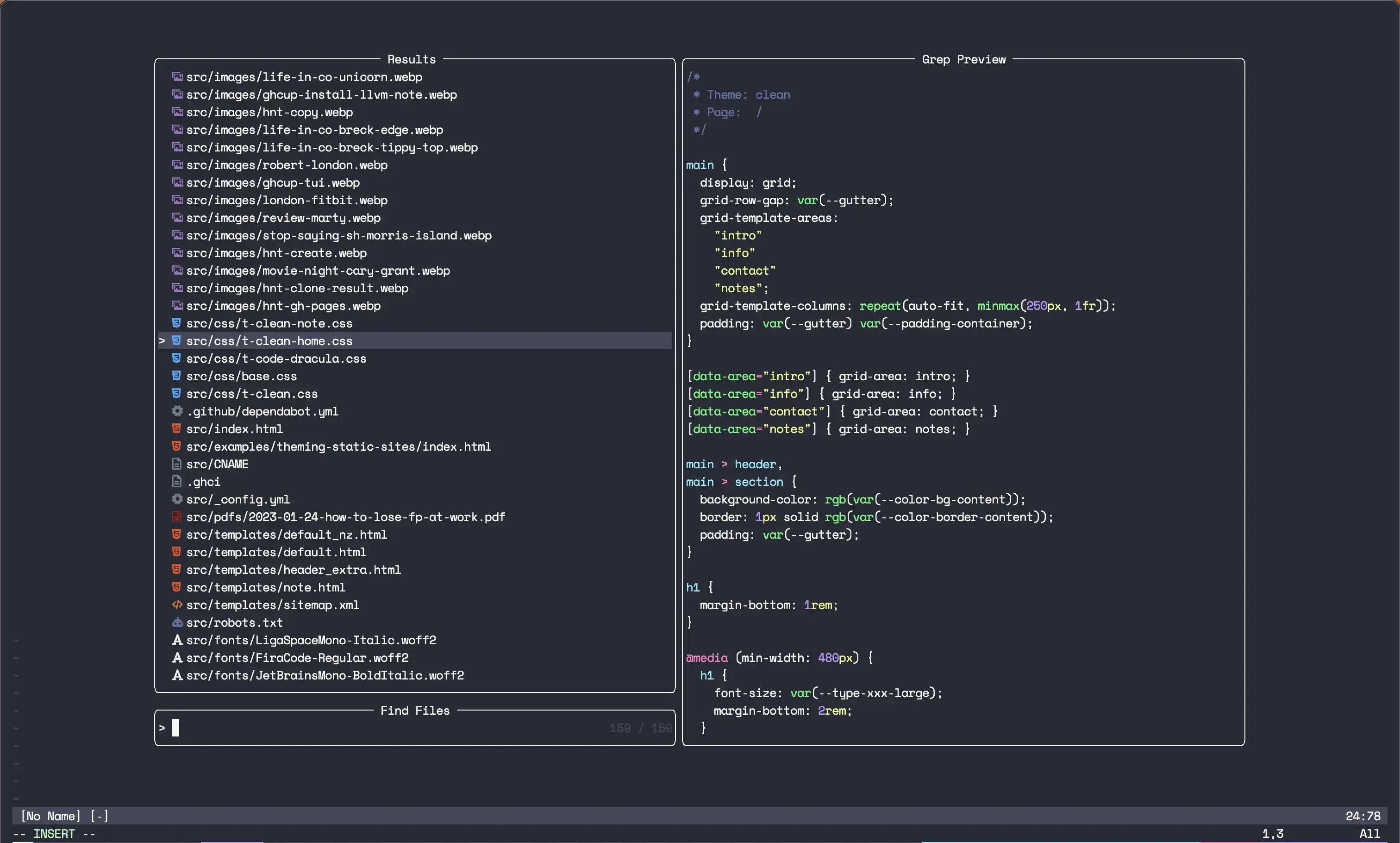
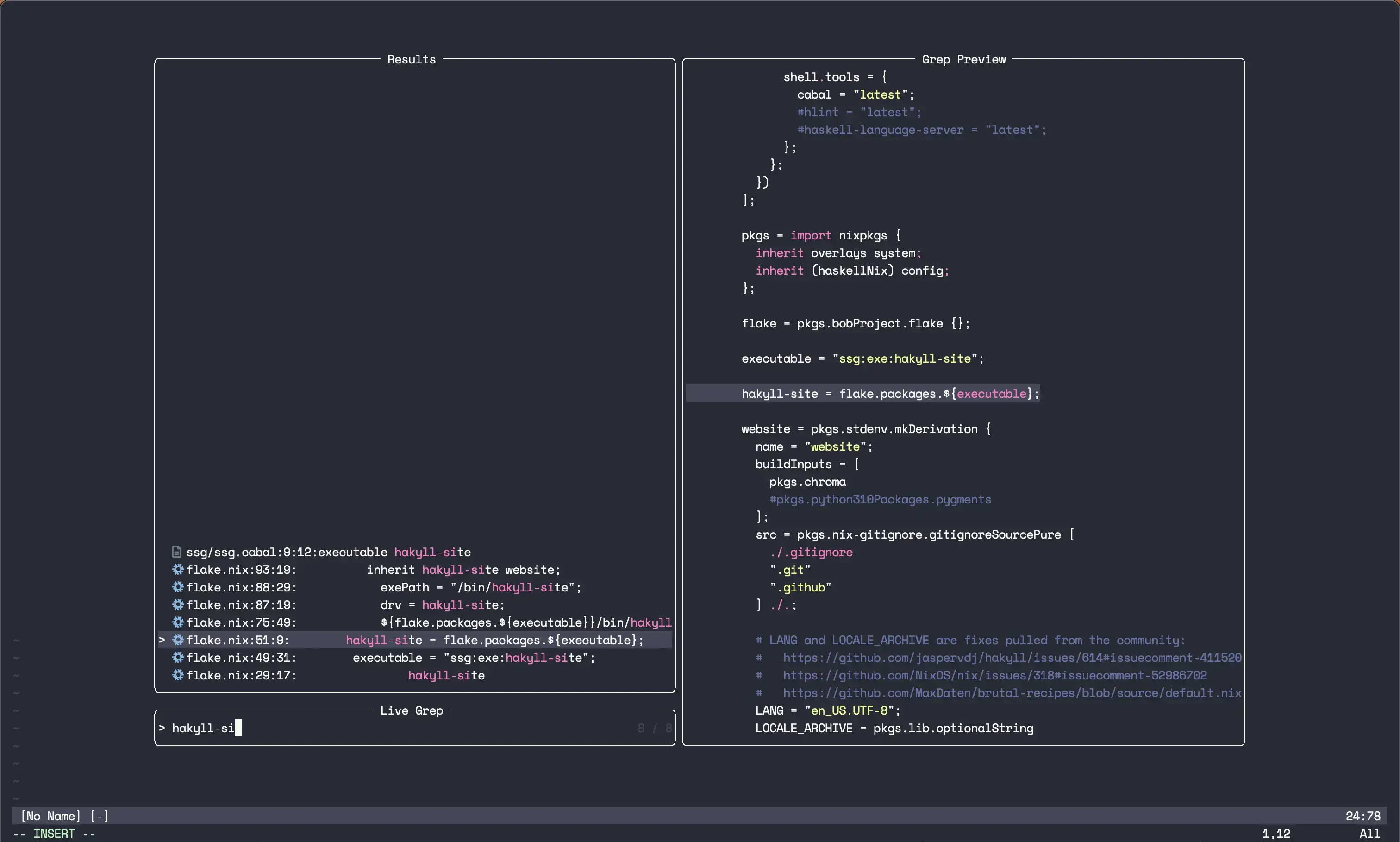


List of the tools I used
Tool managers:
- Lazy.nvim (this underpins just about everything else)
- williamboman/mason.nvim
- WhoIsSethDaniel/mason-tool-installer.nvim
Look and feel:
- goolord/alpha-nvim (neovim start page)
- nvim-lualine/lualine.nvim (statusline)
- lewis6991/gitsigns.nvim (buffer git integration)
- dracula/vim (theme)
- folke/tokyonight.nvim (theme)
Sidebar folder tree:
Language things:
- neovim/nvim-lspconfig
- williamboman/mason-lspconfig.nvim
- nvim-treesitter/nvim-treesitter
- norcalli/nvim-colorizer.lua
- hrsh7th/cmp-nvim-lsp
- hrsh7th/nvim-cmp
- mfussenegger/nvim-lint
- stevearc/conform.nvim
Finding things:
Misc:
Thanks for reading!
— Robert